AI trading journal for serious traders
Meet your AI trading journal.
JournalFlow imports executions, organizes the session, reviews mistakes, and turns raw trade history into a cleaner plan before the next session.
Built for futures, prop-firm, forex, CFD, and crypto traders.Read-only import paths. No trading permission.
Smart JournalingAI CoachTrade ReplayProp Firm ReviewReportsStrategy Tracking
JournalFlow workspaceScore 82
What if I only traded my top 2 setups?
+GBP 2,140Opening range and liquidity-sweep trades account for most of the edge. Everything else is dragging the review.Import readyMetaTrader route or broker file upload
2m ago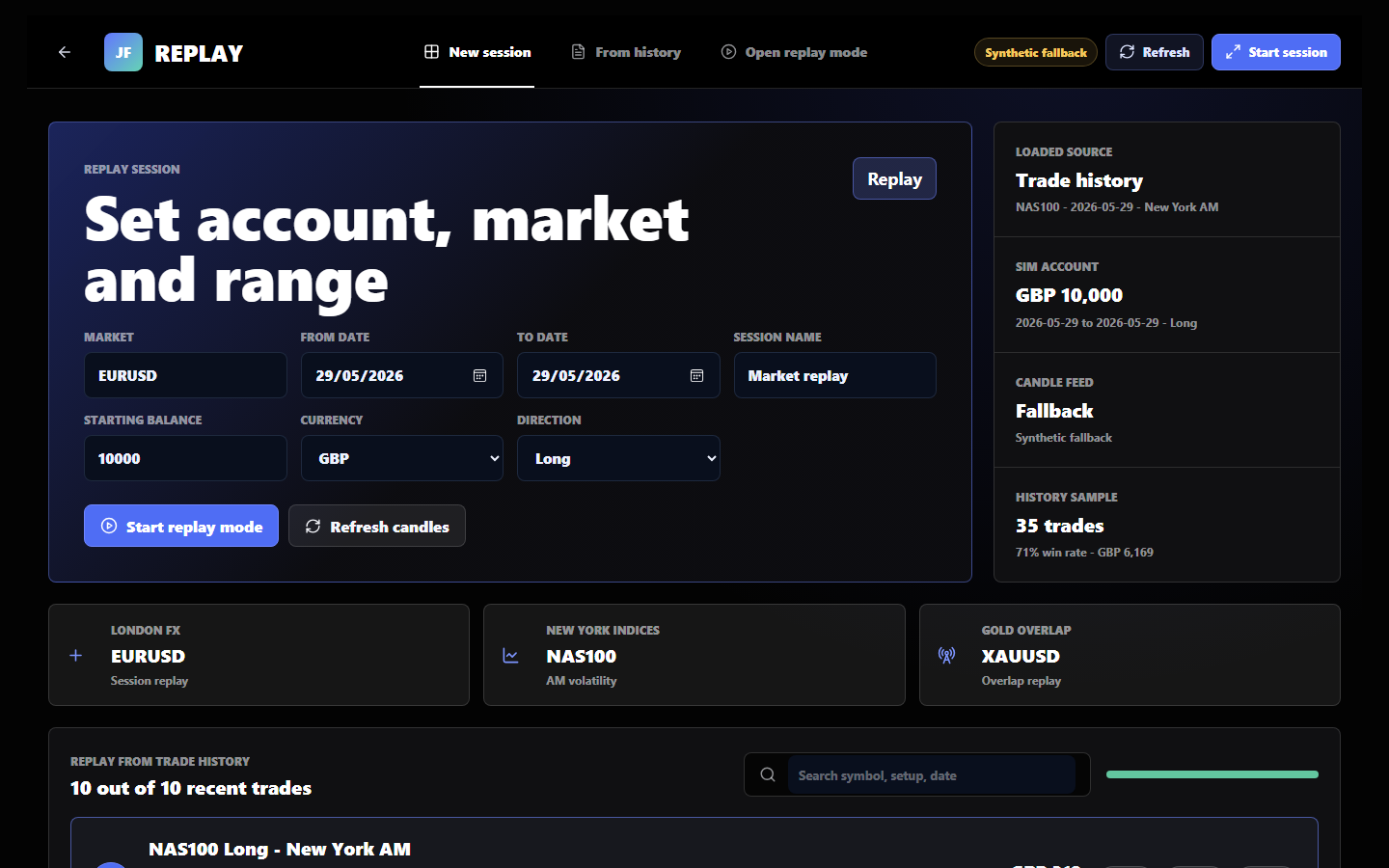
JournalFlow Score82/100
See it before choosing a plan
Open the demo workspace and judge the workflow yourself.
Explore the dashboard, Coach, replay, analytics, imports, reports, and review flow before deciding whether JournalFlow fits your trading routine.
Built for real trader workflows
Futures, forex, crypto, and funded-account traders can start without handing over trade permissions.
Supported sync paths, file-upload fallback, and no-order-placement access make the first import feel safer than connecting another tool blindly.
Funded-account guardrails
Track daily loss, max drawdown, consistency pressure, payout protection, and stop-trading rules beside the trades that created the risk.
Futures platform fallback
Tradovate, NinjaTrader, Rithmic, Topstep, Apex, and other futures accounts can start with exports while direct sync routes are built.
One setup, one rule, one next action
JournalFlow turns ORB, liquidity sweeps, ICT concepts, indicator ideas, and session plans into evidence instead of another guess.
How it works
From broker history to a better next session.
Import the session
Sync supported accounts or upload broker exports so executions, fees, symbols, and timestamps land in one journal.
Group the trades
Entries, exits, partials, screenshots, setup tags, mistakes, and notes become a review-ready trading record.
Ask Coach
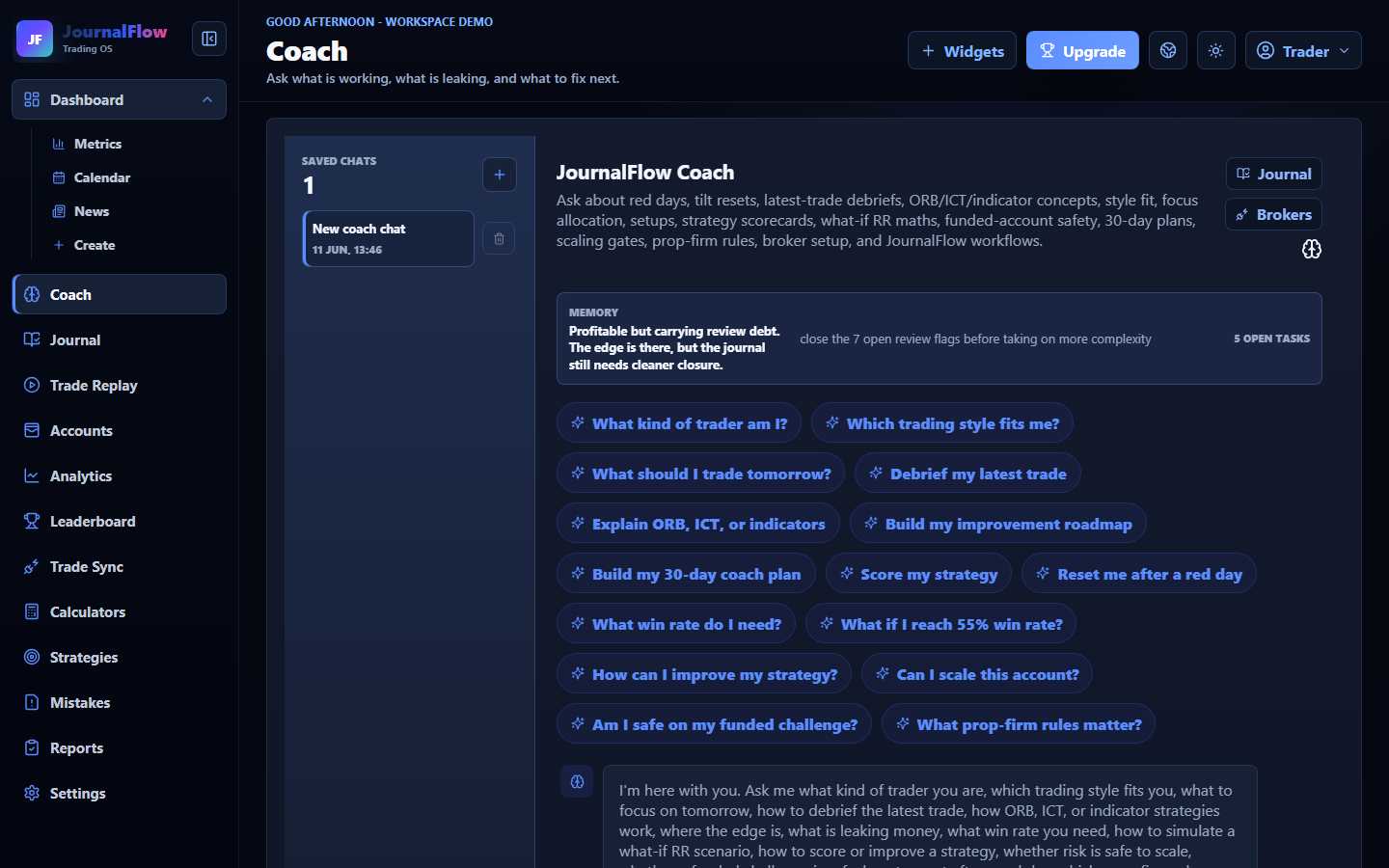
Ask about ORB, ICT, indicator strategies, funded-account rules, mistake cost, expectancy, and what to fix next.
Trade the next plan
Turn the review into one rule, one setup focus, and one risk guardrail before the next session starts.
Built-in JournalFlow Coach
Turn the journal into a next action.
Coach reviews trades, setups, screenshots, mistakes, RR, sessions, and prop-firm rules. It can build rulebooks, score strategies, save previous chats, and explain exactly what to fix next.
Review my ICT liquidity sweep strategy Which mistake is costing me most? Build my funded-account rules
Try Coach in demo JournalFlow CoachSaved chat
Your strongest setup is Session high rejection. Tighten confirmation rules, attach screenshots, and compare winners against rule breaks before adding another model.
Best setup Session high rejectionMistake cost Early partialsNext action Review 5 trades
Automated journaling
Connect the account or import the broker export.
MT4 and MT5 accounts use a hosted read-only sync route when activated. Traders on other platforms can upload broker files while direct connectors are added for the biggest futures, stock, prop-firm, and crypto platforms.
View all brokers & integrationsImport networkMT4/MT5 hosted sync route gated by MetaApi. Crypto API routes and CSV File Upload provide the fallback while direct connectors are built.
Know exactly where your edge comes from
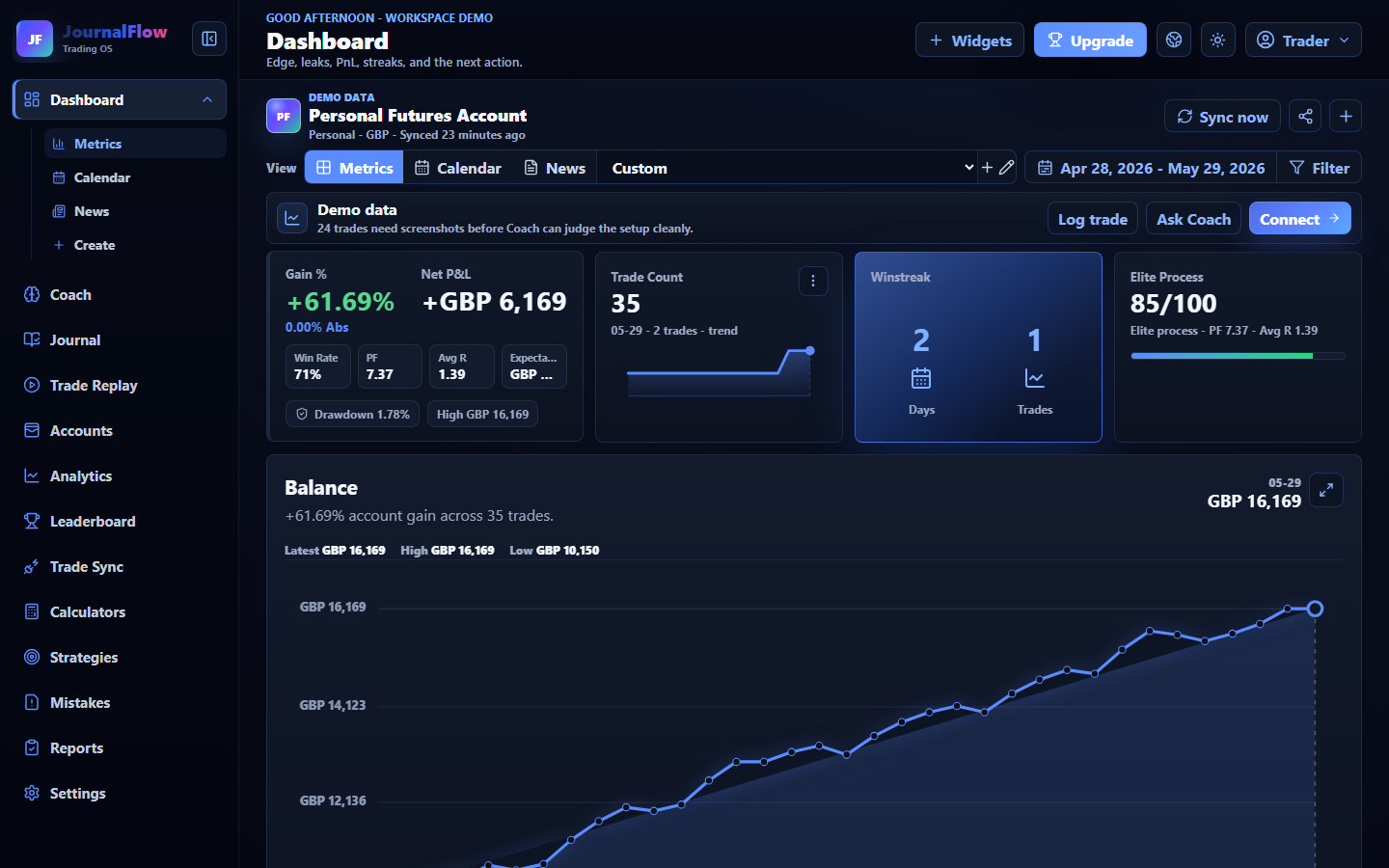
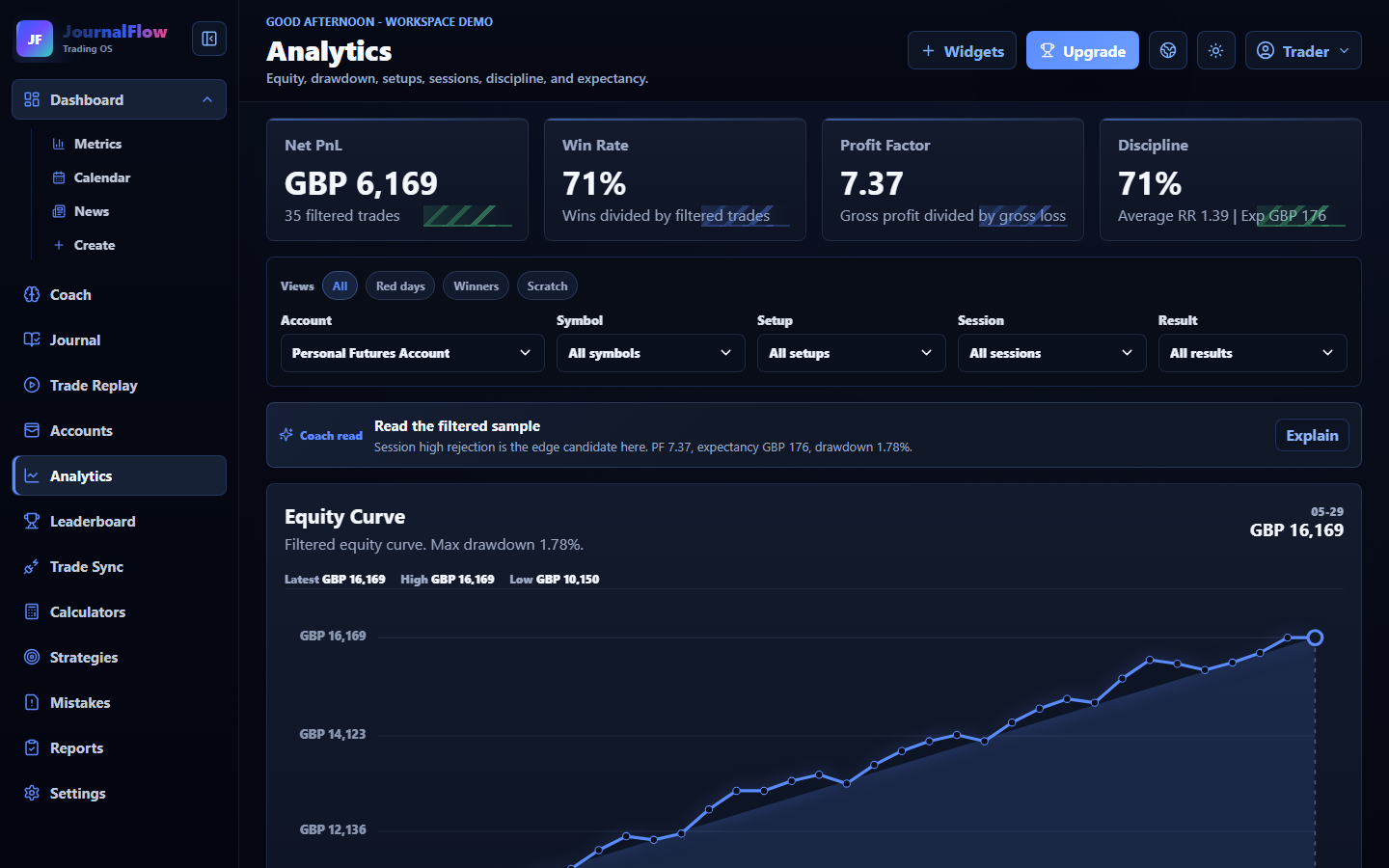
Break performance down by setup, session, symbol, mistake, account, and review status instead of staring at one headline PnL number.
Ask the journal what to fix next
Coach answers strategy, ORB, ICT, indicator, prop-firm, expectancy, and recovery questions from the journal context.
Replay sessions without leaving the journal
Set the account, market, range, session, direction, and review the trade history inside the same workspace.
First 5 minutes
From blank account to a useful review session.
The first session should feel obvious: create an account, choose currency, upload or log trades, then see the exact behaviour costing money.
Elite analytics
Equity curve, drawdown, expectancy, sessions, symbols, setups, and mistake cost.
Risk before entry
Forex and futures calculators help traders size positions before taking the trade.
JournalFlow Score
A process score based on reviews, rule-following, mistakes, screenshots, and consistency.
Calendar review
Spot red-day patterns, overtrading windows, and the days where discipline broke.
Broker imports
MetaTrader read-only sync and CSV File Upload turn raw executions into grouped trades.
Playbook lab
Compare real trades against textbook setups and review where execution drifted.
Standalone SaaS path
Everything a trader needs before payments are switched on.
The web version is being shaped around signup, onboarding, account settings, billing, imports, reports, and a proper workspace so traders can go from first trade import to weekly review without stitching tools together.
Built for traders first
No more spreadsheet drift.
Log trades, screenshots, setups, emotions, mistakes, daily notes, and reports from the same workspace. The goal is not more data. The goal is cleaner decisions.
- Standalone accounts and billing
- Personal, demo, challenge, and funded accounts
- MT4/MT5 read-only sync route plus futures, prop-firm, and custom CSV File Uploads
- Weekly and monthly report reminders
- Web first, then iOS and Android
Clear before signup
No trading password. No spreadsheet drift. No guesswork after the trade.
Does JournalFlow trade for me?
No. JournalFlow imports, journals, scores, and reviews your trade history. It never places trades or needs trading permissions.
Will JournalFlow make me profitable?
No software can promise that. JournalFlow helps traders review evidence, control risk, find repeated mistakes, and build a cleaner next-session plan.
Why not use a spreadsheet or Notion?
A spreadsheet can work at the start. JournalFlow becomes useful when screenshots, RR, setup stats, reports, Coach, imports, and weekly reviews need to live in one workflow.
How is JournalFlow different from other journals?
The fairest comparison is one real trade in each tool. JournalFlow is built for screenshot-led review, RR, mistake cost, Coach next actions, reports, risk discipline, and CSV/manual fallback in one workflow.
What if my broker is not supported?
Manual logging and CSV File Upload keep the review moving while supported sync routes are configured. The first goal is one complete trade record, not waiting for a connector.
What is included on every plan?
Two trading accounts, CSV File Upload, manual journaling, screenshots, risk review, core analytics, and JournalFlow Coach are included from Essential upward.
When is auto-sync available?
Supported sync routes sit on Pro. MT4/MT5 requires MetaApi and broker support, exchange routes use API keys without trading permission, and every plan can use CSV File Upload.
Trading journal resources
Useful guides before a trader even opens the product.
Learn what to track, how to use RR, and how to review futures or funded-account sessions before turning the process into a JournalFlow workspace.
Ready for a cleaner review routine
Build the account, connect what is supported, and let the journal show the next fix.
Start with Essential for manual review, or move straight to Pro when you want supported sync routes, advanced reports, and the full premium workflow.